
All your Gmail, one glance.
Every Gmail account in one toolbar icon. Try the real popup below, on sample mail.
For Gmail™ in Chrome · every account free · nothing leaves your browserFor Gmail™ in Chrome on your computer · every account free
The mail above is made up. Nothing in this demo touches a real inbox.
The toolbar icon is the whole display.
A plain envelope until a person writes. Then a dot in that account’s colour. Hover it to see who wrote and what about.
No number counting up to a thousand, no pop-ups in the corner, and a chime only if you turn one on.
- Nothing new
- Work has mail
- Work and Store
- Three accounts or more
Every account free. No subscription.
Signed in to six Gmail accounts? Mailglow finds all six, Google Workspace accounts included, and gives each its own colour.
There’s no account limit to pay past and nothing to renew.
- WWorkjamie@company.com2
- PPersonaljamie.r@gmail.com1
- SStorehello@jamiesshop.com4
- SStudiojamie@studio.design
- SSidejr.side@gmail.com
- CClubclub@jamiesrun.org
It never asks Google for your mail.
There’s no Google sign-in and no API access. Mailglow reads the short feed Gmail already gives your browser, and keeps everything it learns on this computer.
- What it reads
- Sender, subject, a one-line preview and the time of your unread mail, up to 20 per account, from Gmail’s own feed. Never the full email or attachments.
- What it changes
- Only what you click: mark read, archive or delete, done by Gmail itself, always with Undo. It never sends mail.
- Where your data goes
- It stays on this computer. There’s no server of ours, no account with us and no analytics in the extension.
- What it costs
- Nothing, for every account, with no trial to run out.
Every permission it asks for, and why
mail.google.comThe only site it talks to: your accounts’ feeds, and the actions you click.storageRemembers which emails you’ve seen, on this computer.alarmsChecks for new mail once a minute, or as often as you choose.cookiesReads Gmail’s own action token when you archive or mark read. Only Gmail’s.offscreenFollows light and dark mode, and plays the chime if you turn it on.faviconShows senders’ site icons from Chrome’s own cache. Nothing is downloaded.
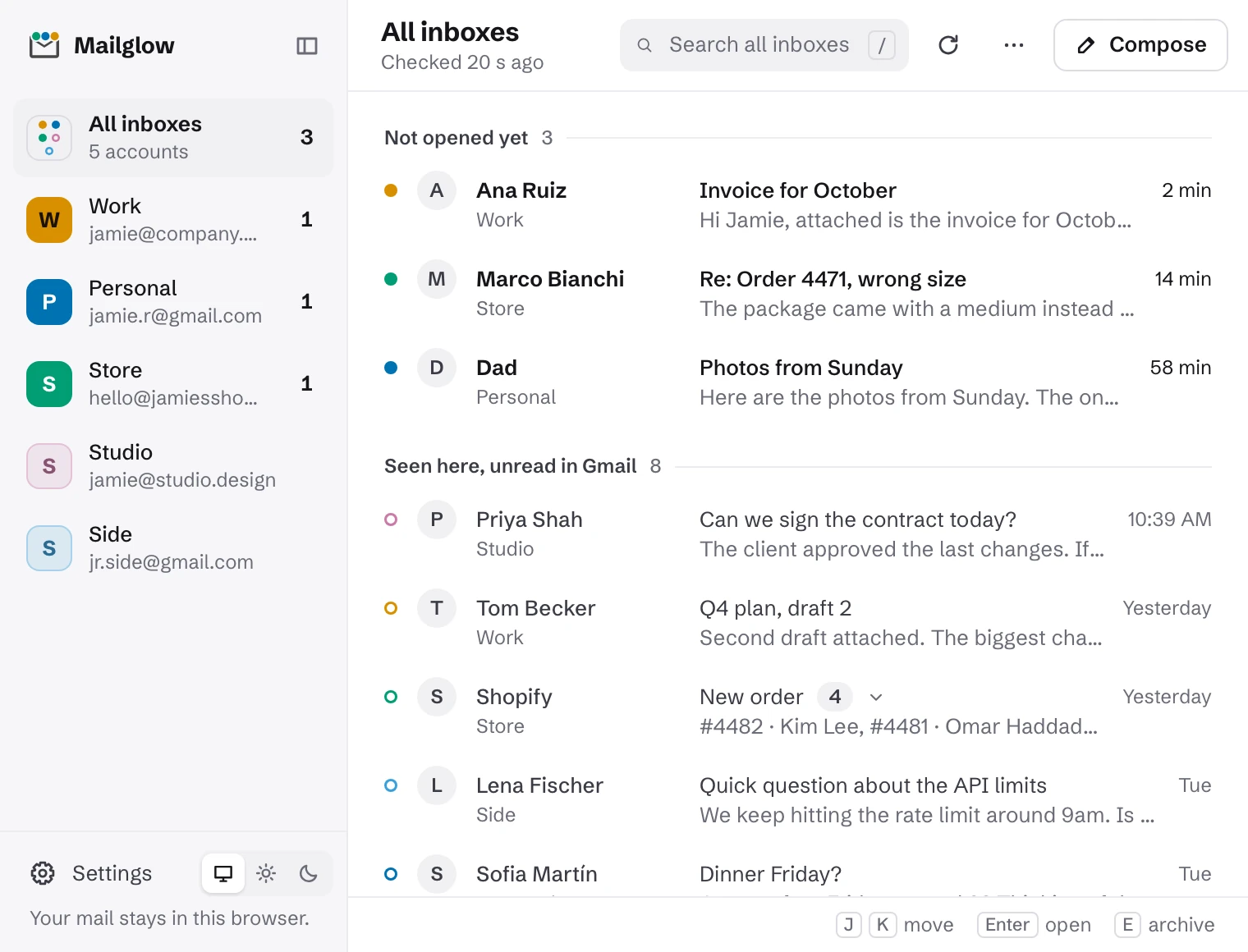
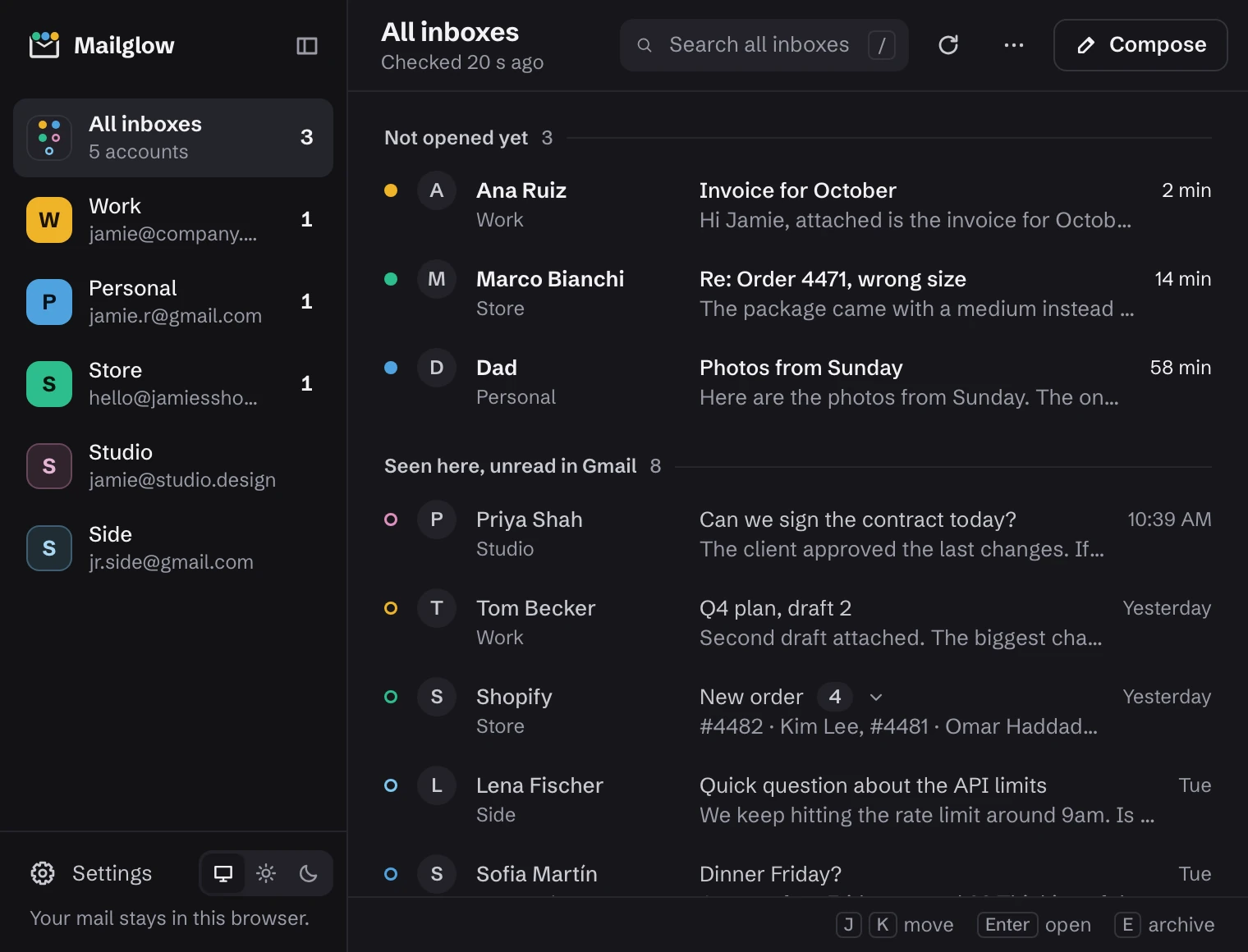
Light or dark, it fits your Chrome.
It follows your system, or you pick. Settings are a single page that reads like sentences.


Questions
Does Mailglow read my email?
It sees what Gmail’s feed shows: the sender, subject, a one-line preview and the time. It can’t open the full email, attachments or anything you’ve sent. What it sees stays in Chrome on this computer.
Do I have to sign in or connect my Google account?
No. It uses the Gmail accounts you’re already signed in to in Chrome, and picks up new ones on its own.
Does it work with Google Workspace accounts?
Yes. Accounts on your own domain work like personal ones.
Will it mark my mail as read?
Never on its own. Looking at mail in Mailglow doesn’t change Gmail. Mark read, archive and delete happen only when you click them, and each one can be undone.
How quickly does new mail show up?
It checks once a minute by default. You can change that in settings.
Why is it free?
It runs entirely in your browser, so it costs nothing to run. It’s made by the team behind esigna, the email signature maker.
Does it work in other browsers?
It’s built for Chrome. Other browsers aren’t supported yet.
Stop checking five tabs.
Coming soon to the Chrome Web Store